Independent project · On-device processing
Heic2JPEG
A lightweight macOS app for converting HEIC and HEIF images to JPEG, with batch processing and no cloud uploads.
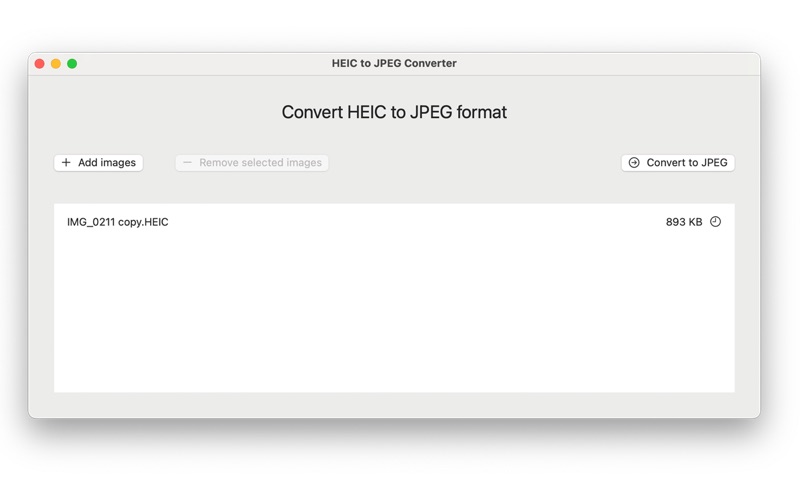
Heic2JPEG on macOS, showing the image queue and conversion controls.
Convert your photos. Keep them on your Mac.
Heic2JPEG makes HEIC and HEIF images easier to use in applications that expect JPEG files. Conversion runs locally on the Mac.
Drag images into the app, choose an output folder, and convert them together. Each file has a clear status, and exported images retain their orientation.
Process locally
Conversion happens on the device, keeping the photos out of a remote processing pipeline.
Handle more than one photo
Batch conversion supports the practical task of preparing several images to share.
Produce compatible output
JPEG output works across a wider range of devices and applications.
Architecture & decisions
Perform conversion on the device and support batch processing, keeping personal photos out of a remote conversion service.
- HEIC / HEIF files
- On-device batch conversion
- JPEG output
A high-level view of the project’s components and workflow.
Implementation details
macOS / HEIC / HEIF / JPEG
- Batch conversion of HEIC and HEIF files to JPEG
- Drag-and-drop input with a selectable output folder
- Per-file progress: waiting, converting, done, or failed
- Preserves image orientation during export
- Local processing on the Mac without cloud uploads
Outcomes
JPEG output for wider compatibility, with local processing and preserved image orientation.
Explore the project
See the product, documentation, or available downloads.