Independent project · Connected devices
Welcome Dashboard
A personalized TV welcome screen for hotel rooms and homes, combining guest greetings, useful shortcuts, and live information through automations and MQTT.
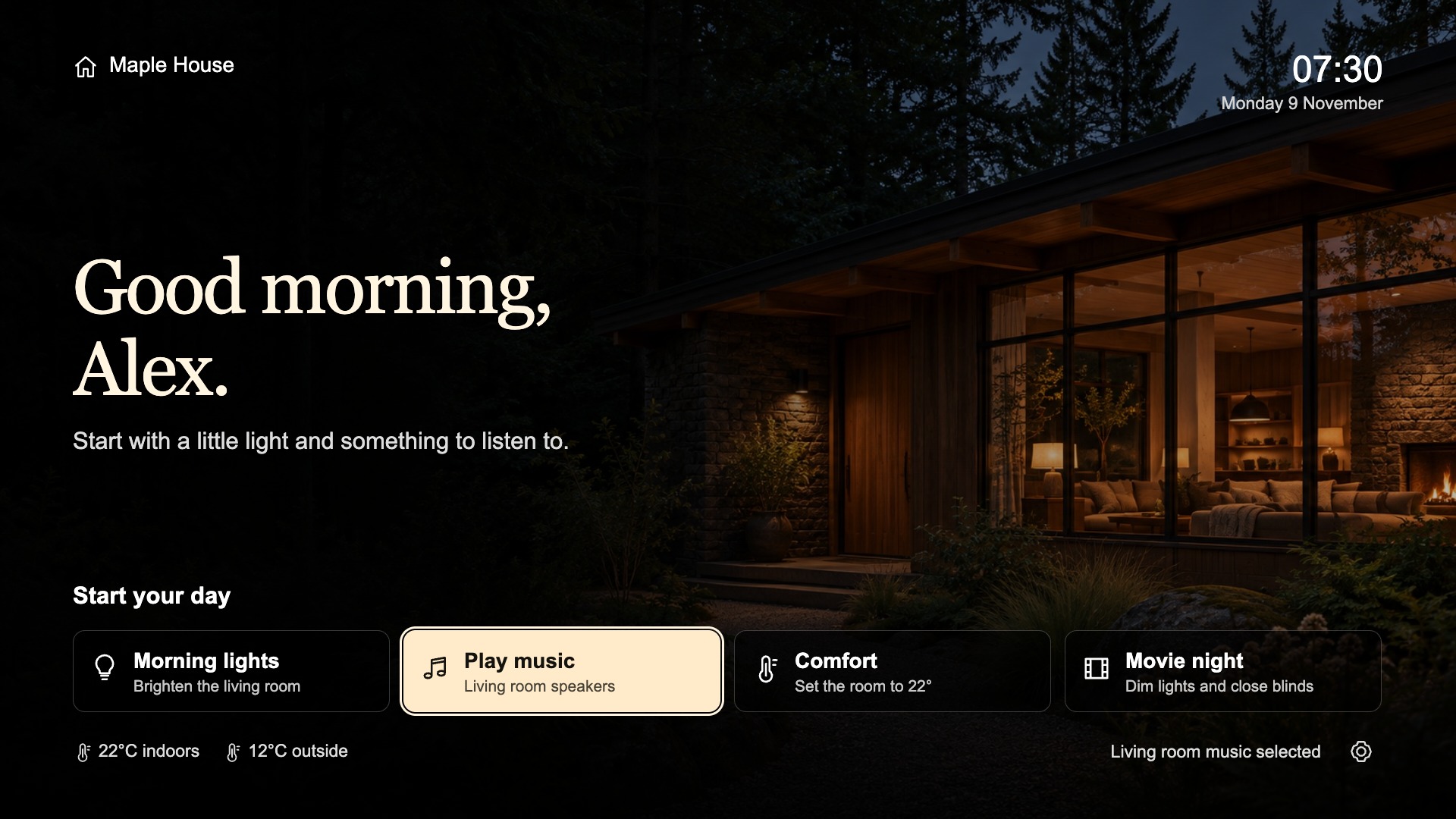
A personal greeting, remote-controlled shortcuts, and home readings.
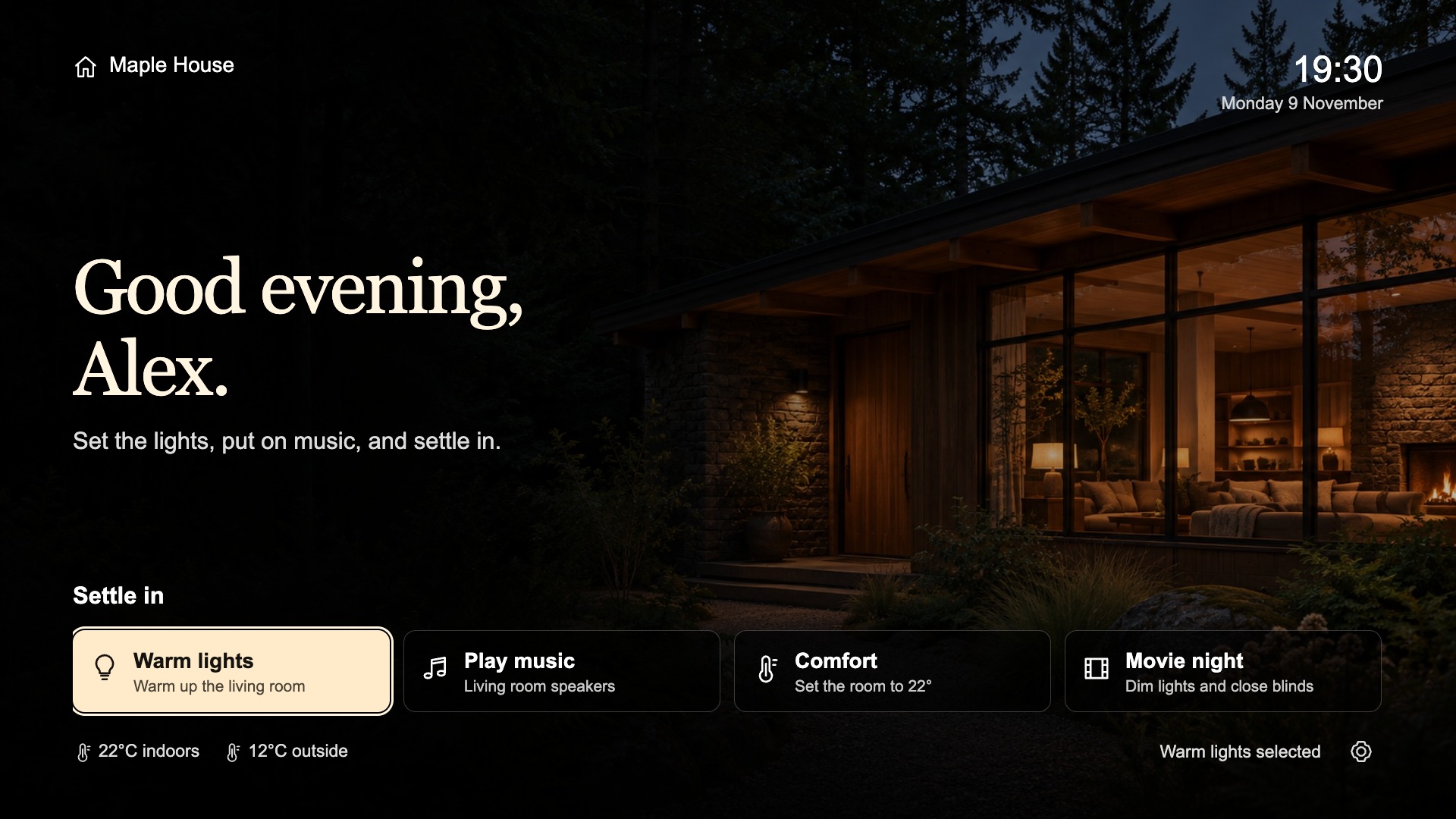
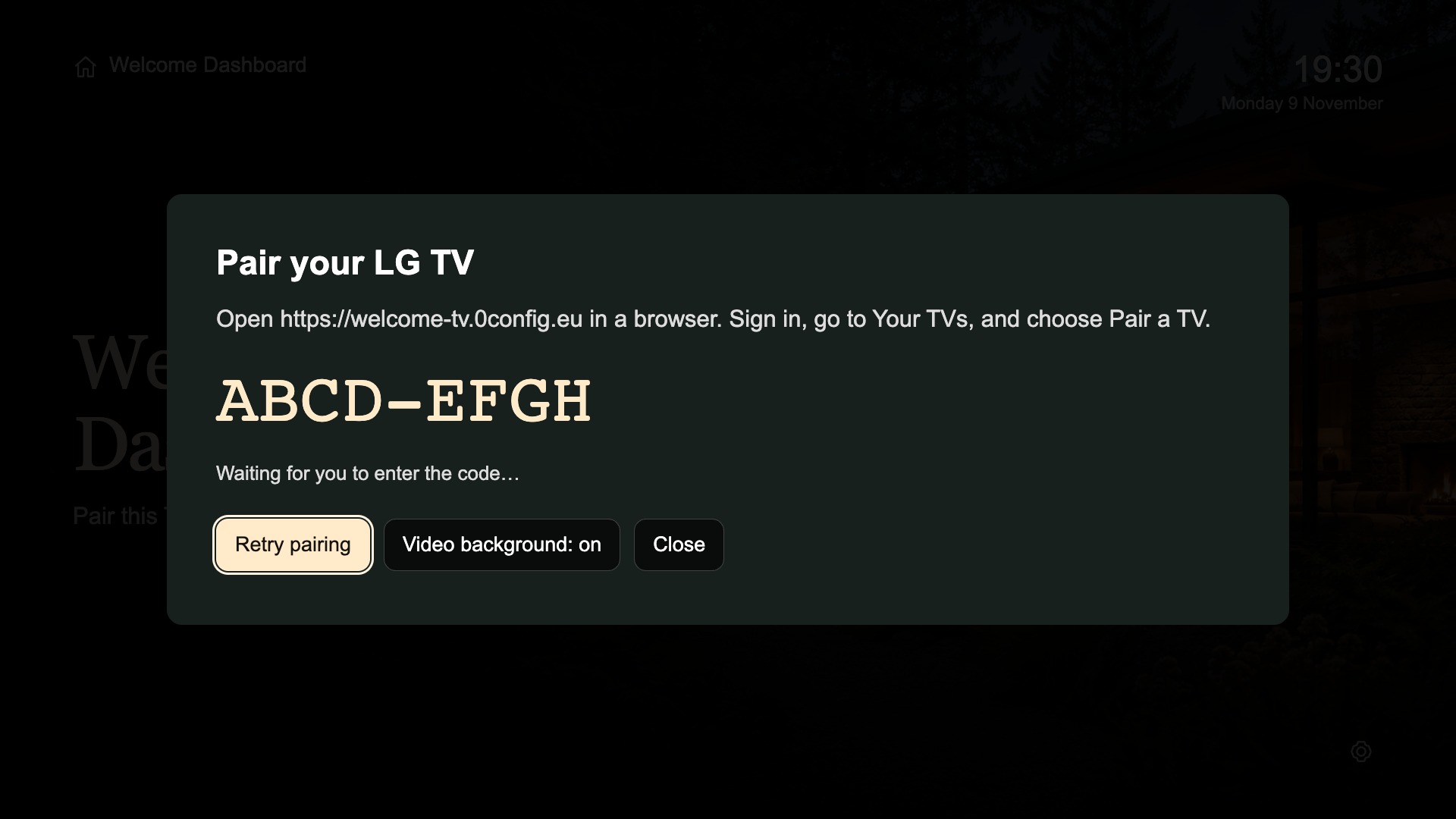
From a hotel-room welcome to a personal home dashboard.
I originally created Welcome Dashboard for LG webOS TVs in hotel rooms, to greet guests when they first entered. Automations and MQTT pass guest names to the TV, making each welcome personal.
I later realized the same idea could work at home. As a fan of Apple tvOS and LG TVs, I expanded it into a personal dashboard with greetings, remote-controlled shortcuts, and readings such as temperature or humidity.
Each TV pairs with a web editor and receives its own configuration. The client keeps the last valid configuration locally. Home automation remains optional: a simple greeting works on its own, while MQTT and the readings API bring live information into the screen.
Configure each screen independently
Device pairing connects a physical TV to its own greeting, background, shortcuts, and readings.
Keep a usable local state
A cached configuration lets the client retain its layout during temporary interruptions. Live readings and remote media still need their connections.
Connect only what is needed
MQTT, Home Assistant discovery, and HTTPS shortcuts are optional integrations configured for the home.
Architecture & decisions
The original hotel workflow uses automations and MQTT to pass guest names to LG webOS TVs for personalized arrival greetings.
Separate configuration in the web editor from device-side actions. Cache the last valid configuration on each TV and keep MQTT and home automation integrations optional.
- Web editor
- Paired TV · cached configuration
- MQTT / readings API
- Home automation & shortcuts
A high-level view of the project’s components and workflow.
Implementation details
TV clients / MQTT / API
- Separate device pairing and configuration for each TV.
- Last valid configuration cached locally during temporary connection interruptions.
- Optional direct MQTT connections, readings API, and Home Assistant discovery.
- Remote-controlled shortcuts can open compatible apps or send HTTPS requests.
- Clients for Apple TV, Android TV / Google TV, and LG webOS.
Outcomes
Individual configuration for each paired TV, with greetings, remote-controlled shortcuts, and live home readings.
Explore the project
See the product, documentation, or available downloads.